My main requirements are:
- Beeing able to call people from my phone (!)
- Reading email, both my company imap account and GMail.
- Syncing events and contacts with my MacOSX computer
- Ssh from the phone
- Using phone as modem for the Mac
- Using phone as modem for my linux laptop
- More secondary, IRC, GTalk, MSN, etc. from the phone.
- And probably some more
Setting up email for my company account took me a few minutes. First time I started the email application on the phone, it asked me whether I wanted to set up an account. Sure, I did, so I went through the wizard, entering in imap and smtp server, account information and so on. After that, nothing works. Of course, I knew that our server requires SSL/TLS, but as I was not asked about security during the wizard phase, I just assumed it detected these things by it self. But it didn't. After consulting the booklet that came with the phone, I figured out where to go. After turning on SSL/TLS for both in- and outbound messages, and entering account information for our smtp server, I can send and receive messages. It even supports the concept of selecting a subset of folders on the imap server for synchronization, and actually just shows me thoses selected folders when I open the mail application. A life-saver for me. Now, I have set the phone up to automatically download email from 3 different folders, every day of the week between 16:00 and 02:00, every half hour. That should cover my requirements just fine.
Then I moved on with GMail. First, I opened the webbrowser using the WiFi connection we have at home. Entered in http://gmail.com, and on the top of the GMail page I was asked whether I want "Faster GMail for phone". Of course I want faster GMail, so I followed the link. This downloads a S60 (or maybe Java?) application that works quite nice on the E61i. So far I have to select the internet connection to use for the GMail application each time I start it, but I guess this is something that can be adjusted.
Bluetooth
Bluetooth is of course working flawlessly on this device. New to me was that I had to go into the Bluetooth system after pairing a device to mark it as an authorized device. On devices I have had in the past, this was a question during the pairing phase. But as soon as I figured this out, it really doesn't matter - just different ways of doing things.
After sending a few pictures to the desktop Mac just to see that Bluetooth is working, I proceed to the syncing issue. Actually, I attached the usb-phone cable first, and started iSync, but scan for new device in iSync does not find the phone. So I went to goole instead, and found this page at Nokia where it is possible to download an iSync plugin for many Nokia phones, the E61i beeing among them. As told on that page, I closed iSync, installed the plugin. Then I used the "Setup new Bluetooth device" in the Bluetooth system on the Mac, and put the phone in discoverable mode. The phone was detected just fine, and I had the option of selecting it for iSync use and as a modem. I selected both. Now iSync started up in the configure new device mode, with some reasonable defaults. I adjusted which calendars in iCal to synchronize with the phone and did a few other adjustments. Then I pressed the "Sync Devices" button in iSync, and suddenly all my events and all my contacts are on the phone. Quite nice.
As I selected the phone for use as a modem during the Bluetooth setup, that is probably ok already, but it remains to be tested.
Other connectivity from the phone
Ssh from the phone is coverd by installing PuTTY for S60. As stated on the s2putty page right now, I went for the "unofficial build" of PuTTY, as some nasty bugs on v.3 of S60 have been clean up in some recent builds. This PuTTY works very well. Actually, I went to the s2putty page using the browser on the phone on my WiFi connection, dowloaded a zip with the application. Within a minute, it was downloaded, installed, and running. As the E61i have a full keyboard, even with a Ctrl key, I can connect to a linux server at work, attaching a screen I have running, and instantly chat on irc channels and read news. And do all sorts of other things I regularly do in a shell.
As I want to be able to use Skype, GTalk and maybe even MSN from the phone, I also installed fring. The installation and getting started part is very nicely covered on that webpage, so I want say anything more about it. Just go there, type in the required information. You will then get a text message with download instruction, and in just a few minutes you have all the internet-phone and chat connectivity you ever want.
From time to time I may want to IRC directly from the phone. To cover this, I installed mIRGGI. It just works. Probably, I will usually use PuTTY, and the screen on my linux server, if I need to use IRC, but you'll never know. It is nice to have.
As you can see, most things are comming along quite nice. I guess there will be annoying things creeping up when I dig deeper down, but so far I am happy with the E61i. I will get back with a review on how it works for me in the daily life after I have used it for a week or two.
Stay tuned, and take care!

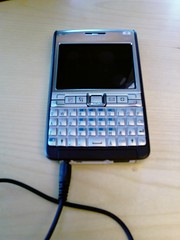 My new phone showed up today! Stay tuned for more information.

 "Most Popular Cameras in the Flickr Community